Building 3 Steps Ahead in the open: one place for all your Arena data
3 Steps Ahead is a free tracker for MTG Arena that is still being built, and it is being built with the players who use it. This is a tour of everything that is in it today, what is still missing, and how you can help: by sharing your games, by testing it, and by telling us in the Discord what breaks and what you wish it did.
Why we are building it
Most of us end up with a different tool for each question: one for the decks and the meta, one for the games, one for the collection, one for what the gold and gems are doing. Several of those tools were made years ago and show it. The idea behind 3 Steps Ahead is simple: everything in one place, built on what MTG Arena already writes on your PC, and modern enough to ask things the old trackers never could.
It is free, in open beta, and it is work in progress. Some parts are polished, some are rough, a few are missing. It gets better fastest when many different people use it, so the beta is open to anyone who wants to join and help.
What is in it today
We do not want to show only the flashy parts, so here is the whole app, tab by tab.
Meta
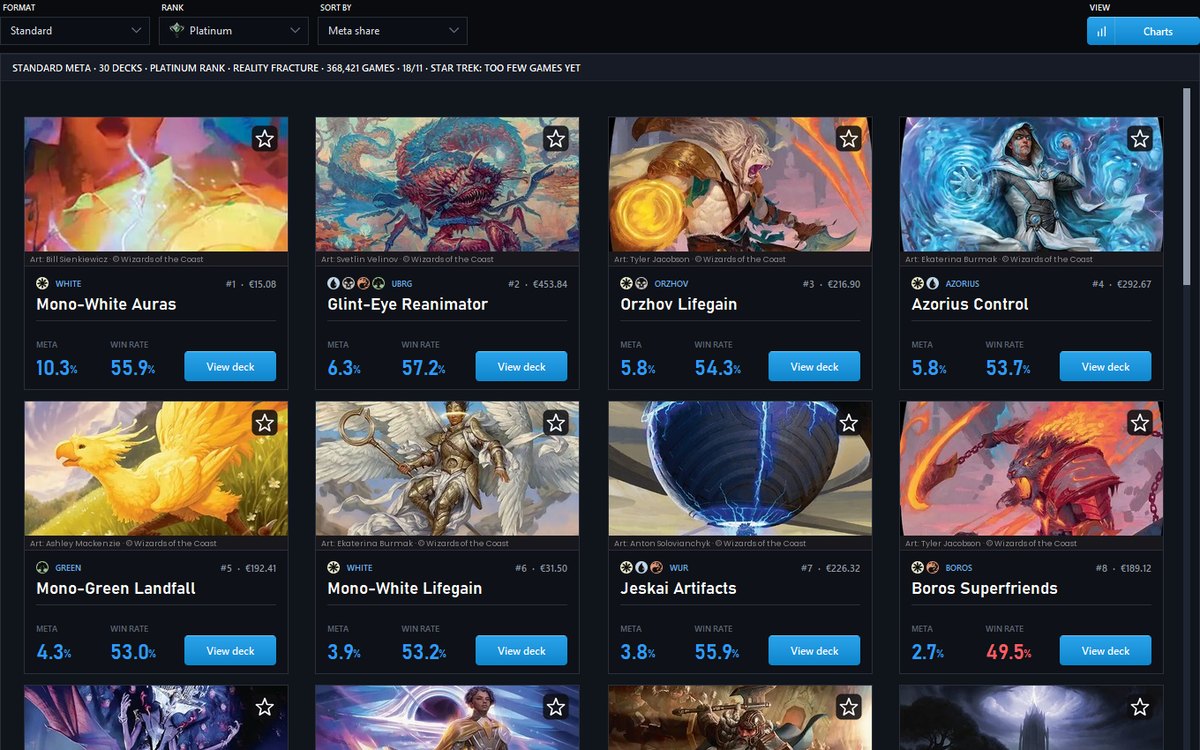
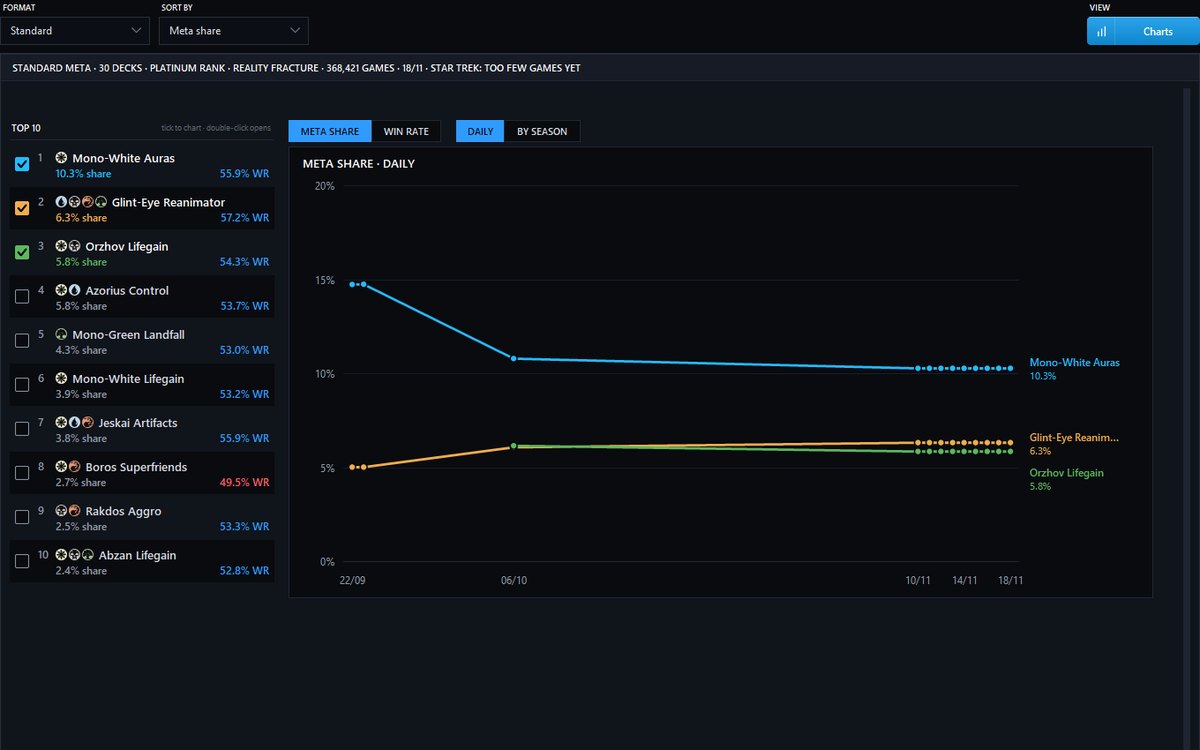
The most played decks of a format, as cards: share of the meta, win rate, price, and how many of the cards you own. Filter by format and league, sort by what you care about, star a deck to add it to your wishlist, and switch to Charts to see a deck's meta share or win rate over time, daily or by season. Today the meta starts from a snapshot of public data; the plan is for it to be replaced by numbers from the games players share with the app.
Your decks
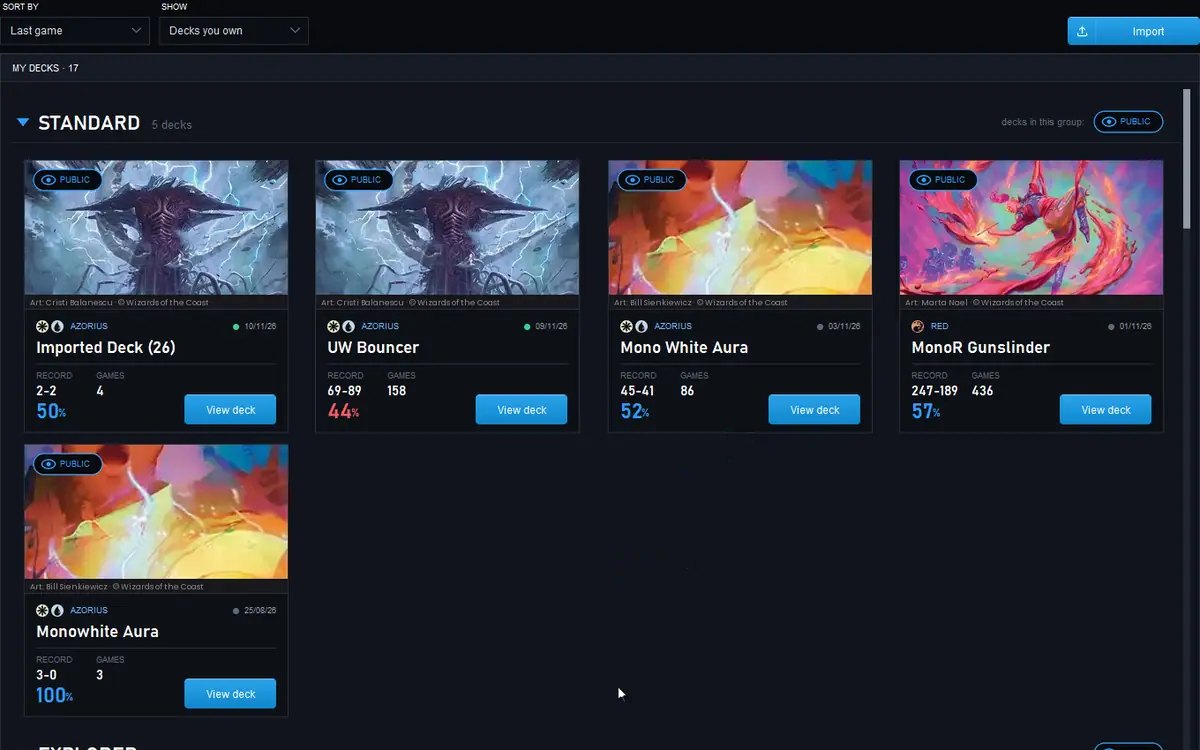
Every deck you have on Arena, with the record you really played with it, grouped by format. Open a deck and you get its list, its starting hands and the turns it wins on, and you can keep a wishlist of decks you want to play next.
Deck analysis
Inside a deck, an analysis built from your own games: which cards win you games when you cast them, which ones get stuck in hand, how you do against each deck you met, and what your mulligans and game length look like.
Deck builder and mana base
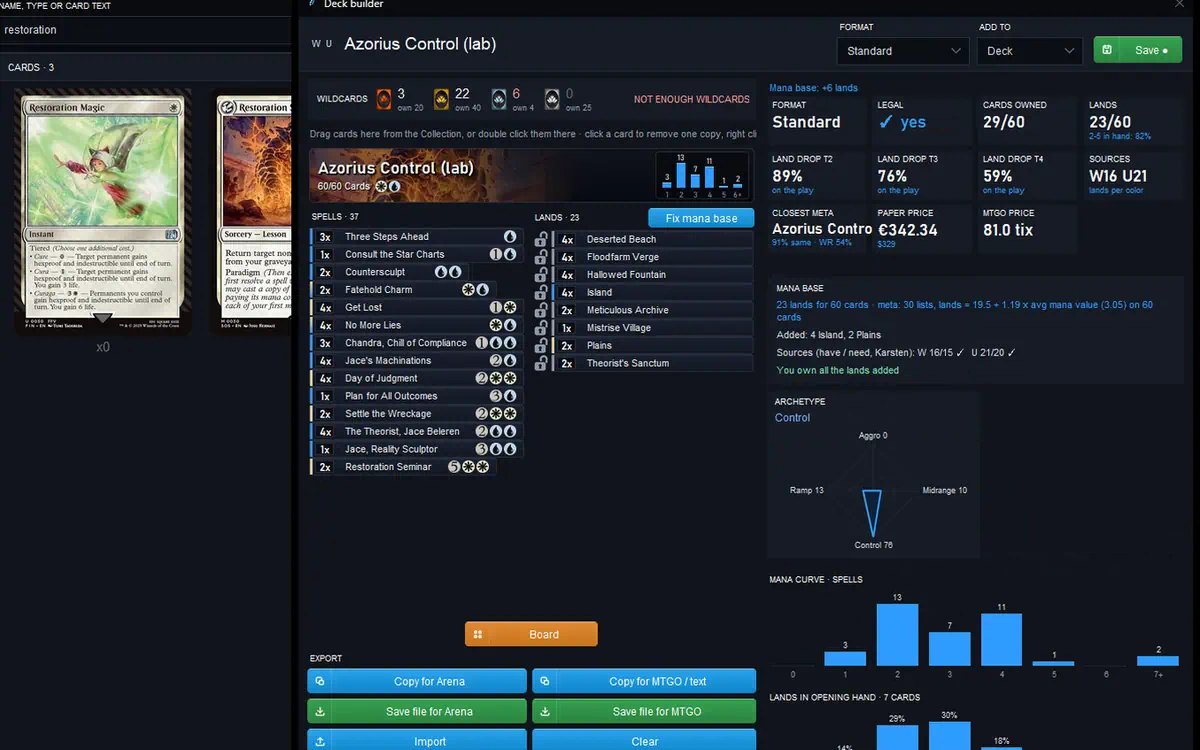
Build over your collection, with legality and wildcards checked as you go. Before you play a new build you see its numbers: the land count, the odds of a good opening hand, the colour sources, the closest meta deck and what it costs. A button picks the lands for you.
Board
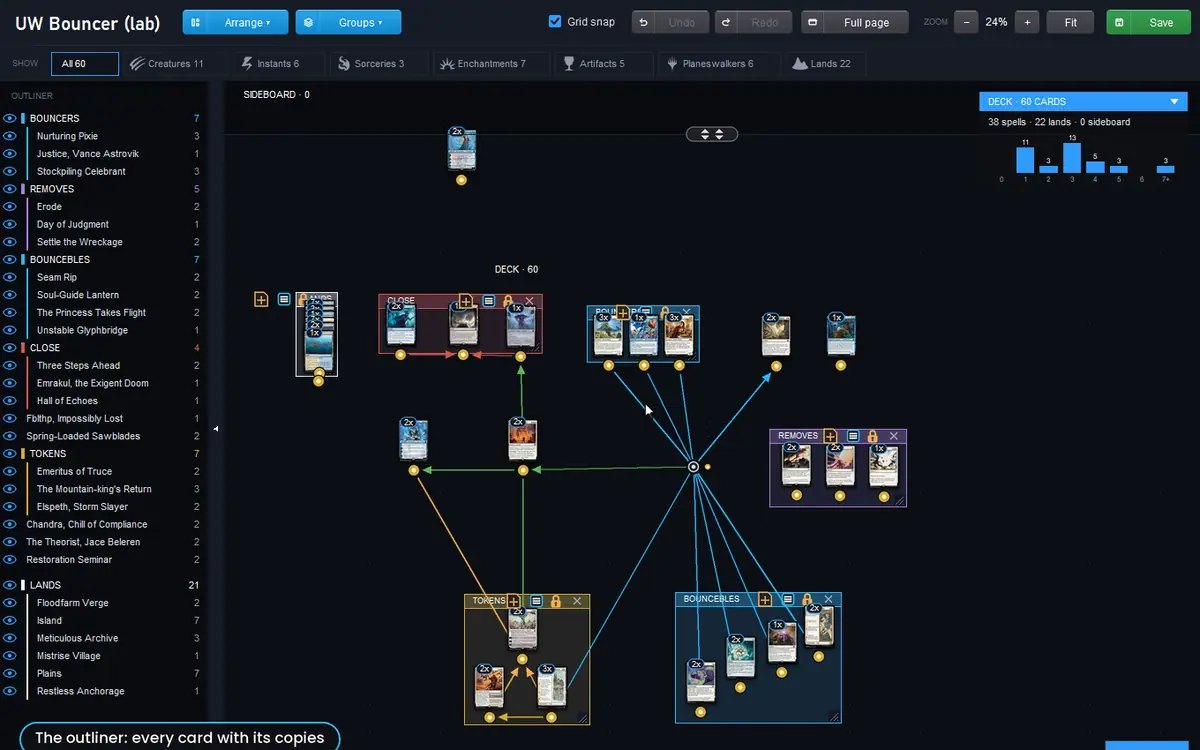
Lay a deck out as real cards on a sheet: stack them, group them, draw the synergies between them with arrows, and keep notes. Many people think better with the cards in front of them than in a list.
Collection
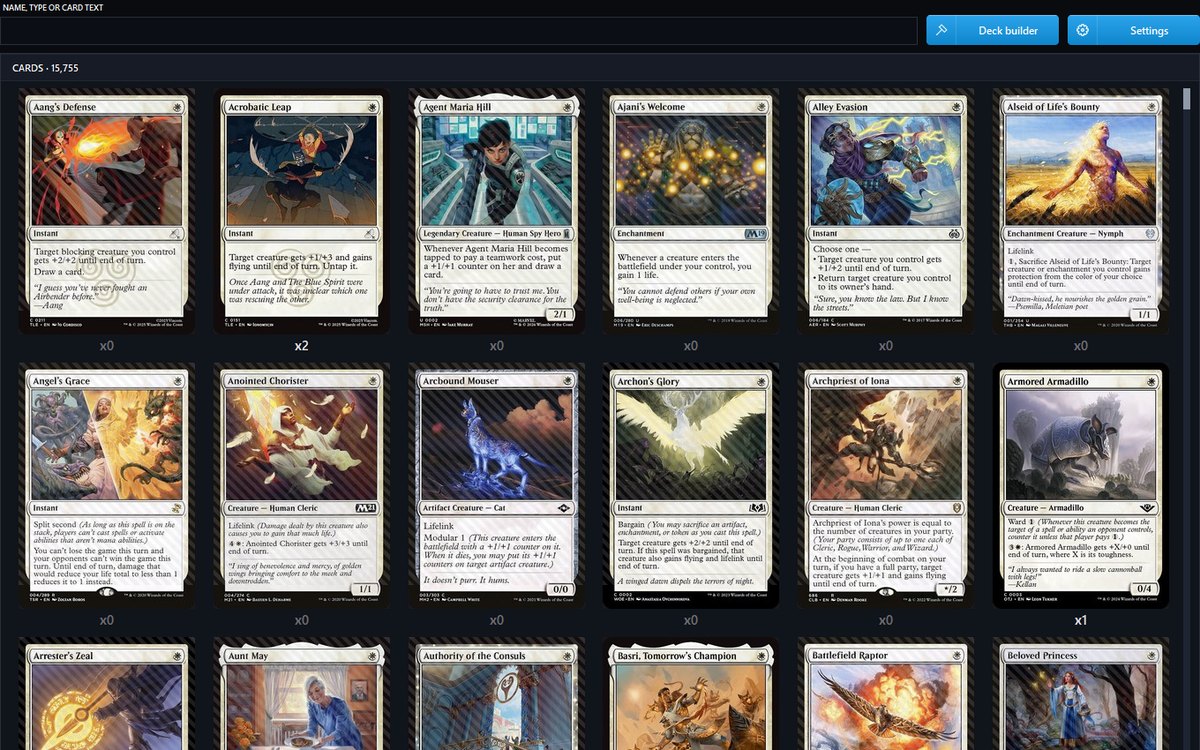
Every card in the game, searchable by name, type or text, with the ones you own and the ones you do not. Filter by set, format and legality; cards banned in a format are marked.
Resources
Where your gold, gems and wildcards come from and where they go, month by month. A farmer helps plan how to spend them toward a goal, and a roadmap tells you what to do day by day and whether you are above or below the plan.
Leak Finder
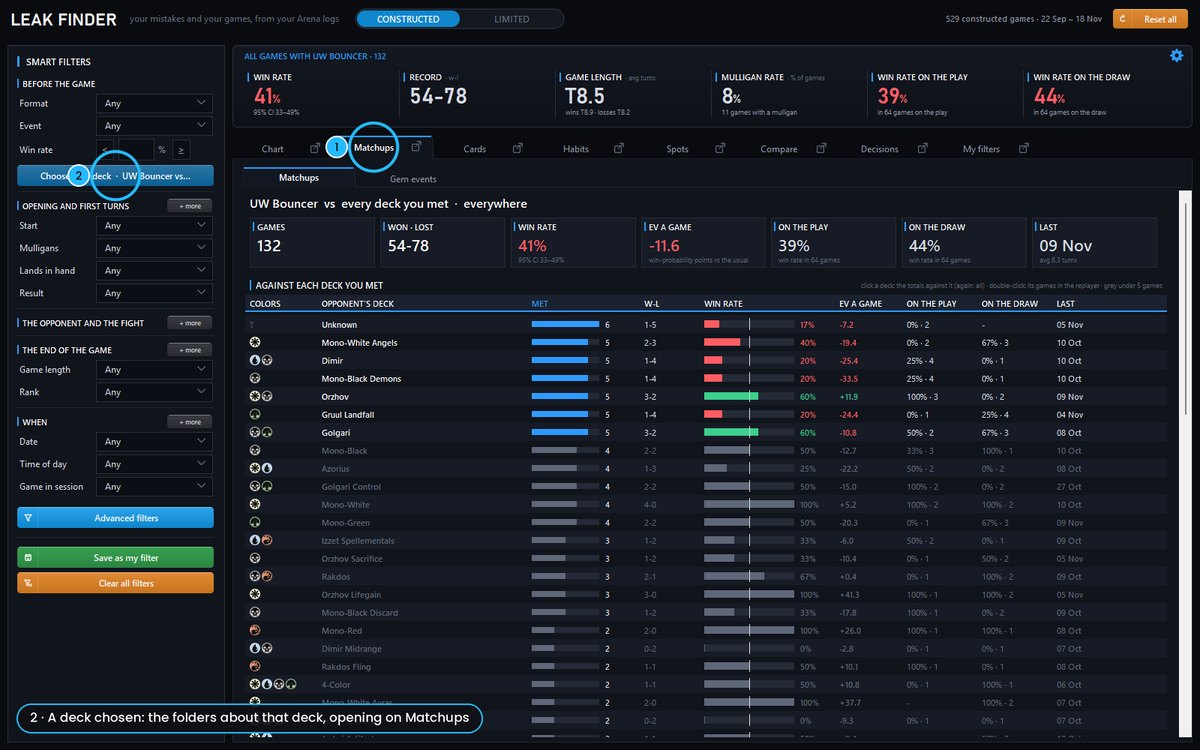
Your games as data: ask a question with filters (on the draw, three lands in hand, no mulligan) and see the win rate, the games behind it and their replays. It also reads games in EV, the win chance each turn adds or takes away, which is the newest and most experimental part. Two articles explain it: why it thinks in EV and a step-by-step guide on a Limited deck.
Replayer
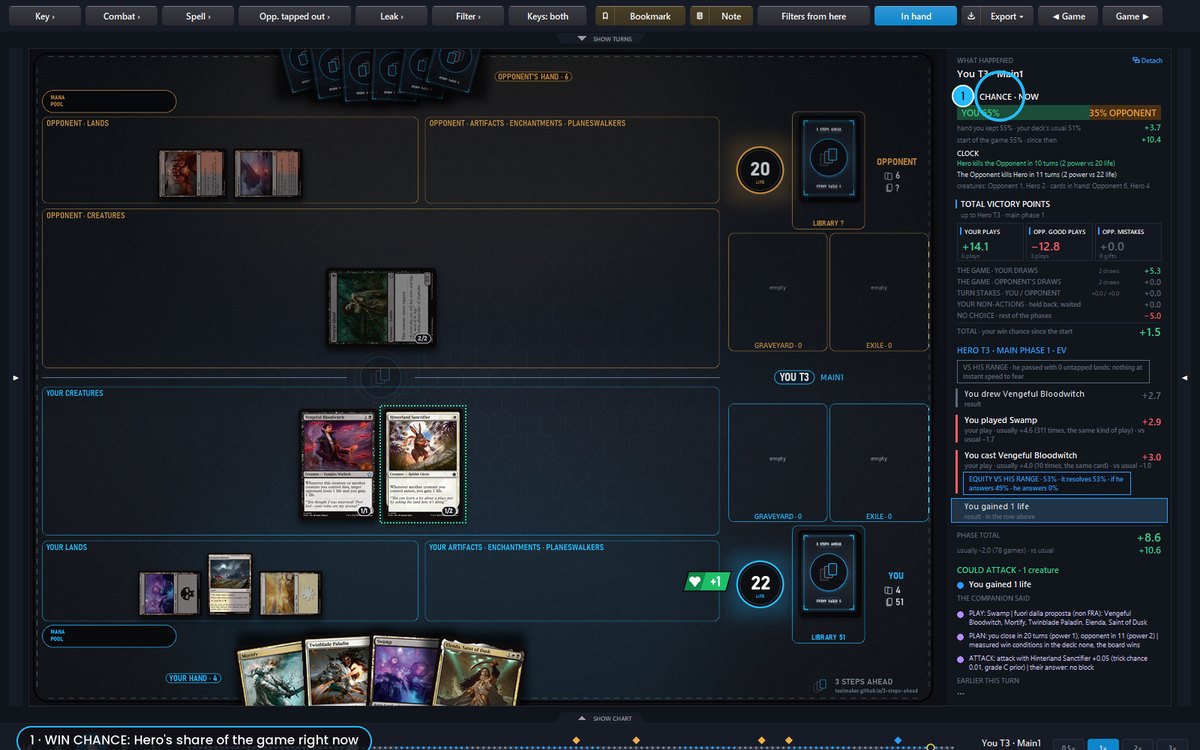
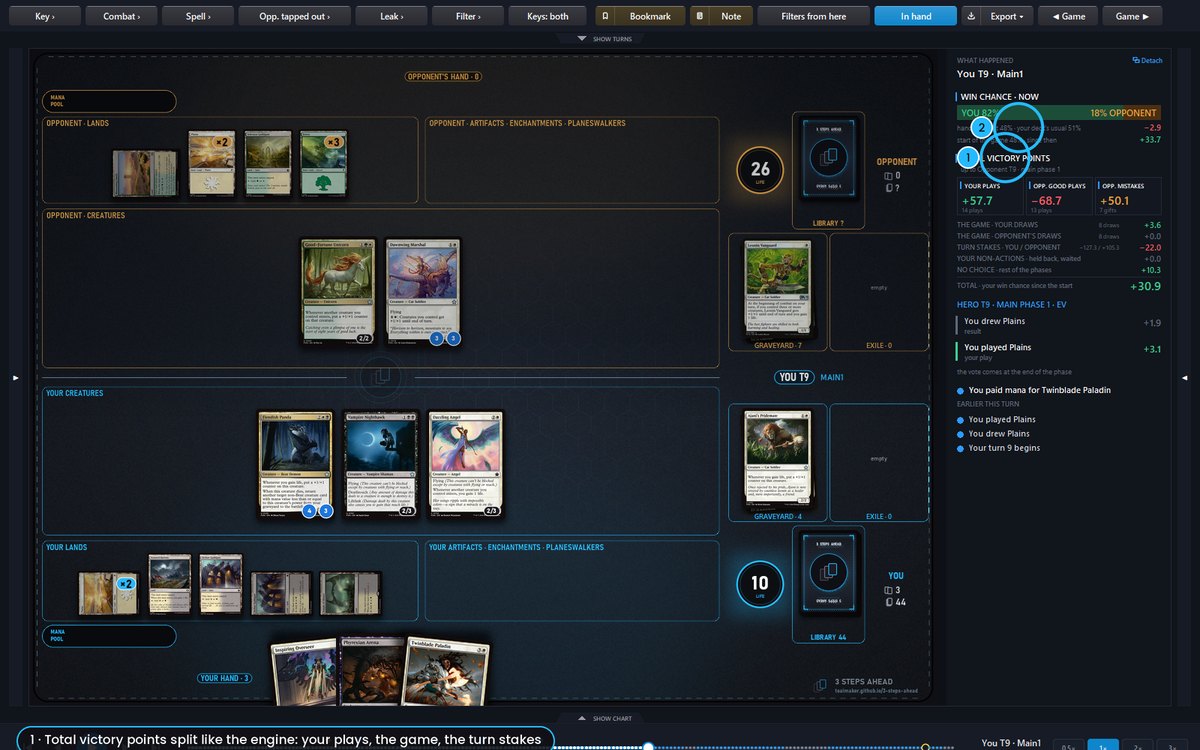
Every game rebuilt on a play mat, action by action: the stack, combat, mana, the cards moving between zones. It is checked against the Arena log and the rules, and it is where bugs are most likely to show, which is why we want your games.
Deck HUD
While you play, a small panel on each edge of Arena: your deck with the odds of drawing each card, and the archetype the opponent seems to be playing, from the cards they showed. It reads decks, never players.
Social and accounts
A profile column on every tab, the players you follow, and a separate profile for each Arena account you play on the same PC. Sign in with Discord, to see friends online, is still on its way.
What is not finished
- It is a beta: expect rough edges, and tell us when you find them.
- It runs on Windows 10 and 11 only; Mac is being prepared and is not ready.
- The replayer and the EV numbers are the youngest parts. They improve with every game we can check them against.
- The Drafter, the part for limited events, is not in the public beta yet.
- Some data, such as the starting meta, comes from public snapshots and will be replaced by real games from players.
How you can help
- Share your games. In Settings › Data sharing, a switch, off until you turn it on. Shared games carry the format, rank, result, mulligans, your deck and the opposing cards you saw, never your in-game name, your account id or your opponents' names. The more different players share, the sooner the Meta tab can be built from real games and the sooner the numbers mean something. What is sent, and what never is.
- Join the Discord. That is where the beta lives: report bugs with what you did and what you saw, suggest what is missing, and read what changes in each version. Most fixes start from a message there.
- Use it on your real games. A bug that only shows up in your deck is exactly the one we cannot find alone.
It stays free, and nothing is locked. If it ends up helping you, an optional donation of €2.99 will be possible, whenever you like.
It reads the log Arena already writes on your PC. It does not read Arena's memory, does not change its files and never clicks or types in the game. 3 Steps Ahead is unofficial Fan Content permitted under the Fan Content Policy, not approved or endorsed by Wizards.